

See how your thinking unfolds.
One thought today. A different perspective tomorrow. Nave connects related notes into threads, so you can see how you got here.

Free to download. No account. Made for iPhone.
A little example
An idea changes. The thread stays.
Monday · A first thought
“We need more kitchen storage. There are things on every surface.”
A thread begins
Making room in the kitchen
A place for this thought — and whatever you discover next.
Wednesday · A new perspective
“Emptied the cupboards. Everything fits. Why does the room still feel cramped?”
A related note joins the thread
Maybe storage isn't the problem.
Your new observation sits beside the first idea. Nothing gets lost.
Saturday · Something clicks
“Saw a kitchen without wall cupboards. Same size as ours. So much lighter.”
Your thinking, connected
It's about light, not storage.
Come back to the conclusion and the notes that brought you there.
Illustrative notes. Choose a moment to follow the thought.
Less filing. More thinking.
The whole story, in one thread.
Automatically organize notes without building a filing system first. Capture what matters. Let the connections take shape.
Capture without the admin.
Speak or type in a space for home, work or a project. With AI enabled, Nave adds a title and summary.
Pick up where your mind left off.
Related notes connect in a dated thread. Revisit the decision, the detour and the reason you changed your mind.
Keep the final say.
Add a note, remove a connection or rename a thread. Automatic organization stays yours to adjust.
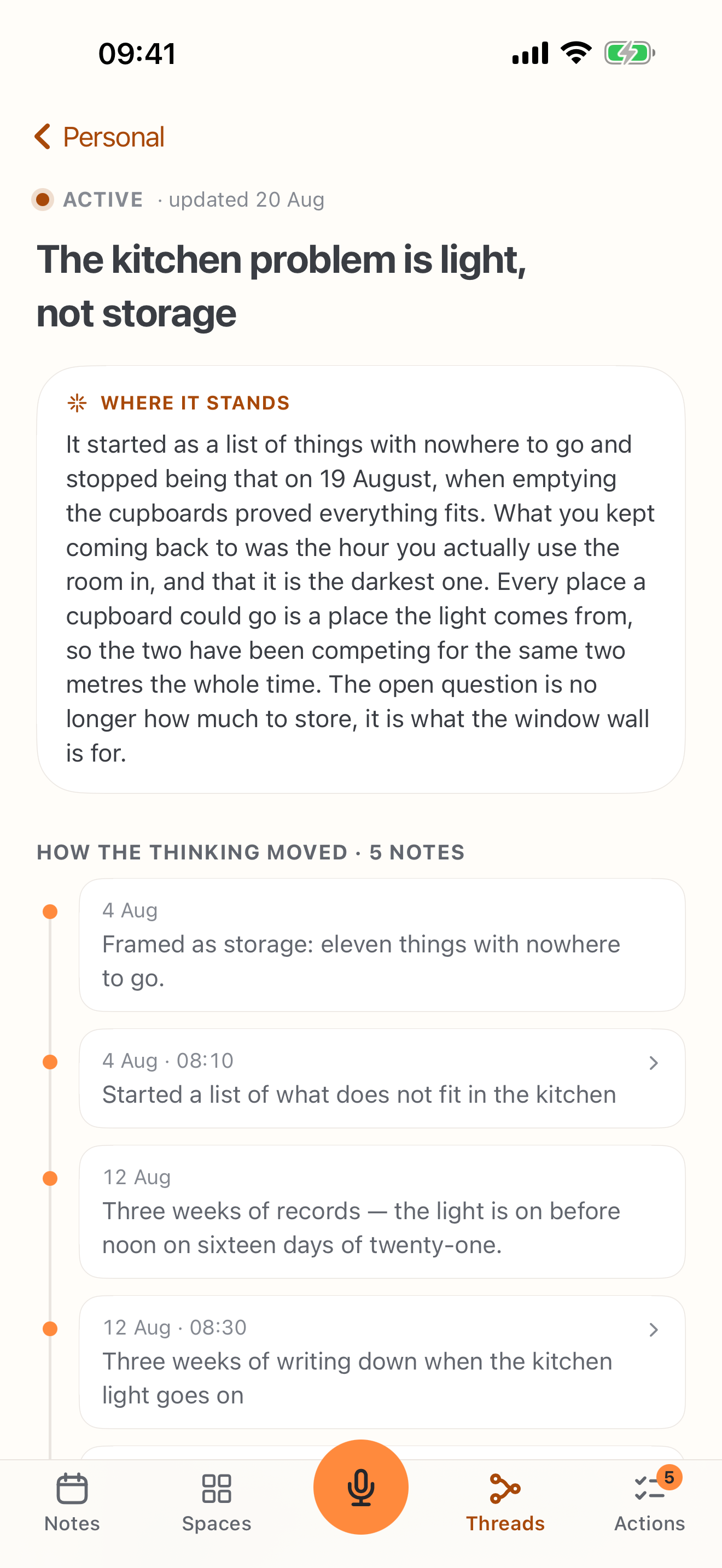
A place to begin
Start with something already on your mind.
A decision about your home. A project you keep coming back to. Something you are trying to understand. Start with one note, then add what you learn.
You don't need the whole story yet. That is what the next note is for.
Prefer to think out loud? Explore voice notes for iPhone. If you need a shared team workspace or other platforms, see how Nave compares with Obsidian, Notion and Evernote.
For the files behind your threads, read Markdown notes on iPhone or find your notes in iCloud Drive.
Good to know
A few answers.
Then, your first note.
Your words stay yours. Here is how the organization works around them.
What's a space? What's a thread?
What if Nave connects the wrong notes?
Does it need AI or an internet connection?
Where are my notes stored?
Is Nave free? Can I use it on my Mac?
Your next thought belongs here
Start with a note.
An idea, a question, a change of mind. Give it somewhere to go.
iPhone · No account needed · Check compatibility